WordPress powers over 43% of all websites on the internet, making it the most popular content management system in the world. Its flexibility and extensive plugin ecosystem make it an excellent choice for SEO, but only if you configure it correctly. This comprehensive WordPress SEO guide will walk you through every step needed to rank higher in 2026 search results.
Why WordPress Is Great for SEO
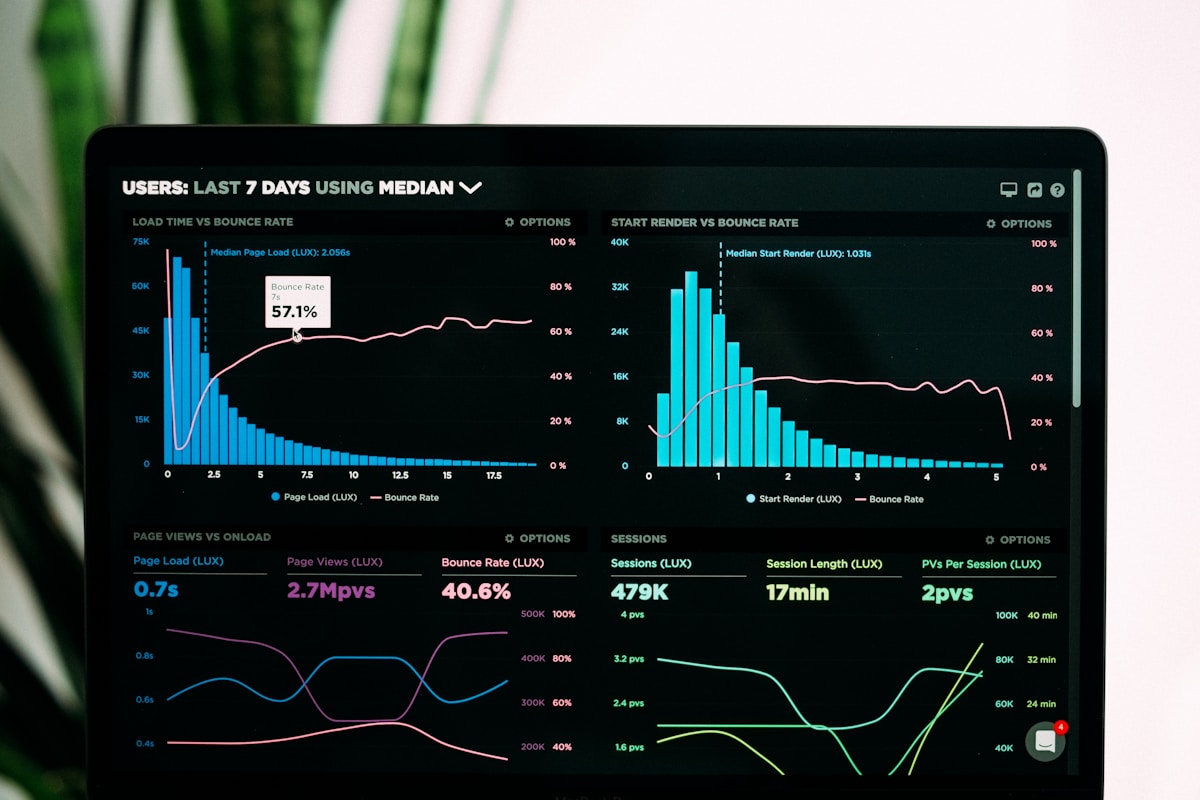
WordPress was built with SEO in mind. Its clean code structure, semantic markup, and customizable permalinks give it a strong foundation. However, default WordPress installations are far from optimized. You need to configure settings, install the right plugins, and follow best practices to unlock its full SEO potential.
The beauty of WordPress is that you can achieve enterprise-level SEO without spending money on expensive tools or developers. With free plugins like Yoast SEO and LiteSpeed Cache, plus some manual configuration, you can compete with any site in your niche.
1. Set Up SEO-Friendly Permalinks
Permalinks are the permanent URLs of your posts and pages. WordPress offers several permalink structures, and your choice impacts SEO. The best option is the “Post name” structure, which creates clean, readable URLs like yoursite.com/wordpress-seo-guide.
To configure this, go to Settings > Permalinks in your WordPress dashboard and select “Post name.” This structure includes relevant keywords in your URLs and is easier for users and search engines to understand.
2. Install an SEO Plugin
SEO plugins add critical functionality that WordPress lacks out of the box. The best free option in 2026 is Yoast SEO, which offers:
- XML sitemap generation – Automatically creates sitemaps for search engines.
- Title and meta description editing – Control how your pages appear in search results.
- Readability analysis – Get feedback on how easy your content is to read.
- Breadcrumb control – Improve navigation and internal linking structure.
- Social media preview – See how your content looks when shared on Facebook and Twitter.
- Schema markup – Add structured data without touching code.
After installing Yoast SEO, run the setup wizard and configure your site’s basic SEO settings, including your site name, social profiles, and preferred search engine appearance.
3. Optimize Your Site Structure
A well-organized site structure helps search engines understand your content hierarchy and distributes link equity effectively. Follow these principles:
- Use categories and tags – Organize your content into logical categories. Each category should have a descriptive name and at least a few posts.
- Create pillar pages – Develop comprehensive guides on core topics and link to them from related posts.
- Build a silo structure – Group related content together and link within the group. This strengthens topical authority.
- Limit categories – Stick to 5-10 main categories. Too many dilute their SEO value.
4. Speed Optimization Is Non-Negotiable
Page speed has been a confirmed Google ranking factor since 2010, and its importance only grows. A one-second delay in page load time can reduce conversions by 7% and increase bounce rates by 32%. For WordPress speed optimization in 2026:
- Use a caching plugin – LiteSpeed Cache (for LiteSpeed servers) or WP Rocket (premium) can dramatically improve load times.
- Optimize images – Compress images before uploading. Use WebP format for modern browsers. Plugins like Smush or Imagify automate this.
- Minify CSS and JavaScript – Remove unnecessary characters from code files to reduce file sizes.
- Use a CDN – Cloudflare offers a free tier that distributes your content across global servers.
- Choose a fast hosting provider – Hostinger, SiteGround, and WP Engine are optimized for WordPress performance.
5. Master On-Page SEO
On-page SEO refers to optimizations you make directly on your content pages. Here is what matters most:
- Title tags – Include your primary keyword near the beginning. Keep under 60 characters. Each page should have a unique title.
- Meta descriptions – Write compelling summaries of 150-160 characters that include your keyword and a call to action.
- Heading structure – Use one H1 tag (your post title) and organize content with H2 and H3 tags. Include keywords naturally.
- Image alt text – Describe your images using relevant keywords. This helps with image search and accessibility.
- Internal linking – Link to other relevant posts on your site. This spreads link equity and helps search engines discover content.
- External linking – Link to authoritative sources when appropriate. This adds credibility to your content.
6. Create High-Quality, Comprehensive Content
Google’s algorithms have become remarkably good at identifying content quality. Thin, poorly written content rarely ranks. To create content that performs well in 2026:
- Target 1,500-2,500 words – Comprehensive content tends to outperform short posts for competitive keywords.
- Answer user questions – Use tools like “People Also Ask” and AnswerThePublic to find what your audience is searching for.
- Include original research – Unique data and insights earn backlinks and establish authority.
- Use multimedia – Images, videos, infographics, and charts improve engagement and time on page.
- Update old content – Refreshing and republishing old posts with new information can boost rankings significantly.
7. Technical SEO Checklist
Technical SEO ensures search engines can crawl and index your site efficiently. Here is a checklist for WordPress:
- Submit your sitemap – Use Yoast to generate your sitemap and submit it to Google Search Console.
- Check robots.txt – Ensure your robots.txt file is not blocking important pages. Your sitemap URL should be referenced correctly.
- Fix broken links – Broken links harm user experience and waste crawl budget. Use a plugin like Broken Link Checker.
- Enable HTTPS – SSL certificates are essential for security and rankings. Most hosts offer free SSL via Let’s Encrypt.
- Implement schema markup – Yoast SEO adds basic schema automatically. For advanced use cases, consider a dedicated schema plugin.
- Optimize for Core Web Vitals – Google’s Core Web Vitals (LCP, FID, CLS) are ranking factors. Test your site with PageSpeed Insights.
8. Mobile Optimization
Google uses mobile-first indexing, meaning it primarily uses the mobile version of your site for ranking and indexing. Ensure your WordPress theme is fully responsive and test your site on multiple device sizes. Pay attention to font sizes, button spacing, and touch targets.
9. Monitor Your Progress
SEO is an ongoing process. Use these free tools to track your performance:
- Google Search Console – Monitor indexing status, search traffic, and fix errors.
- Google Analytics – Track user behavior, traffic sources, and conversions.
- LiteSpeed Cache Analytics – Monitor page speed improvements from caching.
- Yoast SEO’s built-in tools – Track readability and SEO scores for each post.
Conclusion
WordPress SEO in 2026 is about mastering the fundamentals: proper configuration, quality content, technical optimization, and continuous monitoring. By following this guide, you will build a strong SEO foundation that helps your content rank higher and reach more readers. Start with the basics, implement consistently, and refine your approach based on data. For more SEO insights, check out our Complete Guide to Technical SEO in 2026.
Further Reading
Deepen your WordPress SEO knowledge with our Schema Markup Guide, Core Web Vitals Guide, and Image SEO Guide., JavaScript SEO Guide, REST API Design
Further Reading
Check out our latest articles:
- Responsive Web Design: Creating Sites That Work on Every Device in 2026
- HTML and CSS for Beginners: Build Your First Website in 2026
- Data Privacy and GDPR: What Website Owners Need to Know in 2026
- Progressive Web Apps: How to Build App-Like Experiences on the Web in 2026
Further Reading
Check out our latest articles:
- TypeScript for Beginners: A Complete Introduction to Typed JavaScript in 2026
- Node.js for Beginners: Build Your First Backend Application in 2026
- React for Beginners: Your First Steps in Frontend Development in 2026
- GraphQL: A Beginner’s Guide to Modern API Development in 2026
- TypeScript for Beginners: A Complete Introduction to Typed JavaScript in 2026
- Node.js for Beginners: Build Your First Backend Application in 2026
- React for Beginners: Your First Steps in Frontend Development in 2026
- GraphQL: A Beginner’s Guide to Modern API Development in 2026
